NetSuite 2024.2 Release at a Glance: What You Need to Know About System Changes

The upcoming NetSuite release contains many exciting features, but you need to know the details to maximize the new capabilities.


One of the NetSuite Enterprise Resource Planning (ERP) system’s greatest strengths is its automatic updates. Twice per year, the platform undergoes upgrades that touch nearly every corner of the system, from connections and integrations to SuiteApps and modules. These updates provide new features that boost users' efficiency and productivity and don't require manual intervention.


However, the upgrade releases are so vast that if you don’t understand how they change the system, you may have trouble operating your NetSuite instance in the subsequent months.


Of course, NetSuite has released a bevy of information on the updates, but we know you may not have the time to read about every modification. So, we’ve done the work for you.


We’ve pulled information from the Sneak PeekRelease Notes, and Release Webinar to compile the list below of NetSuite 2024.2 highlights. Skim through and get a quick look at what’s coming so you can prepare your team.


Our experts are also happy to answer any questions about the modules and SuiteApps mentioned, and we can integrate them into your current system.


As an Alliance Partner, SuiteDynamics works with NetSuite to customize and implement NetSuite ERP systems. We can help your company determine what upgraded features will serve your business best and design solutions that maximize their usefulness. Schedule a free consultation with our team and discover how efficient your company can become.


Schedule a Consultation
Graphic stating that the NetSuite 2024.2 update will impact more than 38,000 customers worldwide.


Stand-Out Features


Every feature in a NetSuite release improves user experience. However, a few always seem particularly exciting—the kinds of capabilities customers can’t wait to try.


SuiteDynamics CEO Jake Kleiner has identified three 2024.2 features he believes will thrill our clients the most.


1.  Advanced Revenue Management and Prepay with Drawdown Integration


This feature integrates prepay and drawdown capabilities with Advanced Revenue Management (ARM), allowing users to recognize revenue for prepay and usage. Customers can pay a set amount before using services outlined in their contracts and get refunds for their remaining balances after services conclude.


“This feature has been missing within NetSuite's ARM module up to date, and it will allow you to more accurately manage things like installment plans and installment payments, as well as usage and prepay elements,” Kleiner says. "So, managing that within the ARM module is going to be a huge improvement just for more detailed forecasting, cash application, and revenue recognition.”


2.  New CRM Limited Access User Role


The 2024.2 release includes a role option offering new CRM system access. Companies can use it to provide employees with sales, CPQ, marketing, and support access while still controlling permissions for various tasks. 


“Instead of needing a General Access User role, you can leverage a Limited Access User role, which is lower in cost,” Kleiner explains. “But it'll still allow your staff or others to interact with sales functions like CPQ and/or sales and marketing campaigns. That’s going to be a huge improvement.”


3.  Payment Automation Enhancements


The new release also provides payment improvements to the Payment Automation SuiteApp version 4.0, including:


  • Support for the Multi-Subsidiary Feature
  • Vendor Prepayment Support
  • Payment Status Tracking
  • Automation of Recording of Monthly Fees and Charges
  • Ability to Reprocess Payments


Kleiner feels particularly excited about the new feature allowing users to check payment statuses at a glance. He also believes payment reprocessing will be a game changer.


“If and when you have an error or an ACH payment gets returned due to an error status, the system will reprocess it automatically,” he says. “It doesn't require you to reissue the payment; it'll try to mitigate the issue itself. That's another huge lift.”


The SuiteDynamics team can implement any of the modules and SuiteApps associated with these features so your company can enjoy the full impact of the 2024.2 release. Let us know what you want your system to do, and we’ll design solutions that fully equip your business for success.

Schedule a Consultation
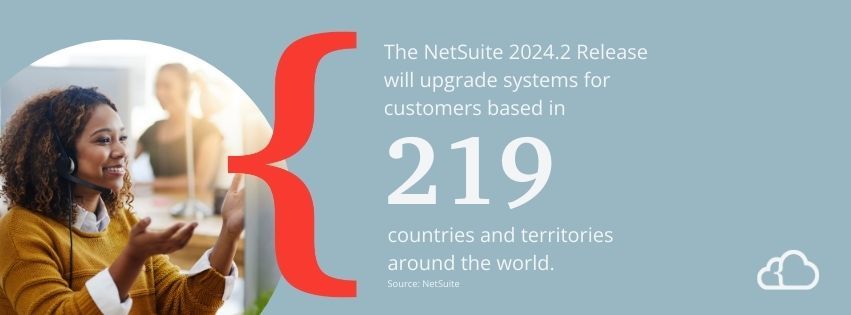
Graphic stating that the NetSuite 2024.2 release will upgrade systems for customers based in 219 countries and territories around the world.


What’s Brand New


The NetSuite 2024.2 Release includes three new SuiteApps designed to help manufacturers manage costs and mitigate supply shortages.


  1. Supply 360: This SuiteApp sorts work orders by location and date and compiles the data in a table so you can compare it to stocked and ordered inventory. You can organize the information by assembly, component, or work order.
  2. Available to Build: This application sizes up final assembly and subassembly manufacturing components so users can determine what they can offer customers with available stock.
  3. Cost Variance Analysis: This SuiteApp generates a report highlighting lower-than-expected expenses in green and higher-than-expected expenses in red so you can quickly compare planned and actual costs for work orders. It also shows variances in dollars and percentages.


Module Upgrades


The release will also impact several modules, equipping users with various tools, from new automated tasks to extra data collection fields. Each upgrade is designed to make your operation more organized, streamlined, and efficient.


  1. SuiteBilling: The NetSuite 2024.2 Release includes new features for this module that improve subscription billing.
  2. Prepay Functionality—Charge and collect prepayments in advance for services, creating a credit balance that the system can replenish automatically.
  3. Integration with CPQ – Include subscription items for products or services in your price configurations.
  4. SuitePeople: The module will now feature a new platform for providing employee health insurance. It automatically takes deductions from employee salaries during payroll and posts costs to the general ledger.
  5. AP Automation: You can now automate vendor payments for each U.S. subsidiary and drop those payments directly into vendor accounts. You can also automatically capture banking fees with a default expense account.
  6. Bill Capture: This module is changing so you can upload bills of up to 30 pages to the scanned vendor list bill page and delete failed uploads. It also has upgraded matching technology and additional subsidiary, vendor, and location mapping logic.
  7. Analytics Warehouse: The NetSuite update is giving this module additional dataset collections so analysts can build business process visualizations and identify issues. These collections include:
  8. Order-to-Cash: Combines customer refund, customer payment activity, order fulfillment, and return authorization datasets.
  9. Procure-to-Pay: Combines item receipt, vendor payment activity, vendor bill, and vendor return authorization datasets.
  10. Account Analysis: A user-configurable dataset that compiles accounting information of all transaction types for regulatory, statutory, and multiple subsidiary reporting.
  11. Warehouse Management System: New features allow you to incorporate stock replenishment into employee schedules automatically. Your managers can filter restocking requests by item, item family, item group, item classification, or saved search. Employees can also perform a single scan and record serial numbers for each product in a pallet. Additionally, managers can identify failed picks with new reporting capabilities.
  12. Account Reconciliation: The 2024.2 Release offers a new interactive task management feature that supports creating, assigning, managing, and monitoring your financial-close checklist. Calendars will also automatically switch to new-year reporting, eliminating manual intervention.
  13. Quality Management: The NetSuite 2024.2 Release has given this module advanced controls so only specific employees can complete inspections. It also allows quality managers to choose transaction types and parent transactions that signal inspections. The module features a new Quality subtab for monitoring inspection progress, allowing you to incorporate products sold by quantity into your inspection schedules.


Schedule a free consultation with SuiteDynamics experts to discuss any modules you want added to your NetSuite ERP system. We’ll ensure your company has access to all the NetSuite 2024.2 release upgrades you need to create a better, faster business operation.


Schedule a Consultation


SuiteApp Upgrades


The 2024.2 update will also feature improvements to many of NetSuite’s applications. Some expand a tool’s capabilities, while others hone software functions with extra data fields or additional options.


  1. Bank Feeds: Connect to more U.S. and Canadian banks. NetSuite has partnered with a new financial aggregator so you can work with more than 14,000 financial institutions using cloud accounting software.
  2. Transaction Line DistributionAs of the NetSuite 2024.2 Release, this SuiteApp will now distribute accounts receivable transactions—like sales orders, customer invoices, and cash sales—on the fly or with predefined templates.
  3. SuitePeople Workforce Management: This mobile app’s time clock will now include a break completion reminder. It will encourage employees to take full breaks by preventing them from clocking back in until the break ends. The module will also feature new data fields for items such as job, project, task, and location.
  4. SuiteTax: The latest updates allow this SuiteApp to record taxes between subsidiaries and tax liability payments to the government.
  5. Cash 360: This SuiteApp will better support AR and AP forecasting by including installment schedules on invoices and vendor bills.
  6. Rebates & Trade Promotions: You can now assign forecasted tiers for tiered rebates, thanks to the 2024.2 release. It also supports rebate agreement calculations for purchase transactions. Previously, the SuiteApp had only offered those calculations for sales.
  7. Compliance 360: This application will offer more forms for audit documentation and findings. It will also support customizable activity portlets, file attachments, and audit result exportations. 
  8. Ship Central: This application will now automatically choose the cheapest shipping option that can deliver an order on time. It will also feature expanded label printing, allowing customizations for sending hazmat items and alcohol, collecting cash on delivery, and more. You can also print a return label using a shipping method different from the original delivery.
  9. Warehouse Management Mobile App: The NetSuite 2024.2 Release allows you to complete a planned cycle count from start to finish using this app. No desk trips necessary.
  10. Supply Chain Management Mobile: You can now color-code data tables based on production status and organize printers into groups for streamlined printing management. This SuiteApp also allows you to upload files and images to any custom record.
  11. Manufacturing Mobile: This application will automatically populate lot and serial numbers when scanning GS1 barcodes. It can also integrate with the Lot Auto Numbering SuiteApp to generate lot numbers automatically. Additionally, this application can enforce badge swiping at the start and end of each manufacturing step.
  12. Material Requirements Planning: The 2024.2 Release adds the ability to combine minimum order quantity and lot size for supply planning, providing supply chain managers with more flexibility. It has also extended the limit for the demand planning horizon and purchase lead time beyond one year.
  13. Supply Planning Workbench: This SuiteApp now includes separate filters for firm and unfirm supply orders.


SuiteDynamics experts can help your company install any of these SuiteApps in your current system and ensure they work with your customizations. Schedule a free consultation with the team and discuss your company’s goals and the technology you need to rise above them.


Schedule a Consultation


Please note that these lists are not exhaustive. The NetSuite 2024.2 Release has many more helpful features to boost your company’s productivity. For more information, dig into the 2024.2 Release Notes.


Revolutionize Business with the Latest NetSuite Features


The NetSuite 2024.2 Release offers new tools for beating the competition with more efficient, higher-quality operations. Yet, you can’t use them at all if you don’t have the necessary modules, SuiteApps, and mobile applications.


We don’t want you to miss out on features that could revolutionize your business and simplify your work life. The SuiteDynamics team can integrate any modules or SuiteApps into your system, including ones impacted by the 2024.2 release.


Schedule your free consultation today and tell us about the solutions your company needs to succeed. We know you can rise in the marketplace, and we’re ready to help your business operate at its best.


Schedule a Consultation


Disclaimer From NetSuite: The preceding is intended to outline our general product direction. It is intended for information purposes only, and may not be incorporated into any contract. It is not a commitment to deliver any material, code, or functionality, and should not be relied upon in making purchasing decisions. The development, release, timing, and pricing of any features or functionality described for Oracle’s products may change and remains at the sole discretion of Oracle Corporation.


March 27, 2026
Spreadsheets built modern business. For decades they served as the unofficial operating system of job shops and custom manufacturers everywhere. They are flexible, familiar, and just comfortable enough to feel like a real solution. In the early days of a growing shop, they genuinely work. But as make-to-order complexity increases, as custom BOMs multiply, lead times tighten, and engineering revisions pile up, spreadsheets strain under the pressure. Every job is different, but spreadsheets want everything to be the same. In make-to-order environments, no two jobs are identical. Unique BOMs, custom routings, variable material costs, different setup requirements, customer-specific specs. Spreadsheets, though, thrive on repetition and standardized rows. So the more variation you introduce, the more tabs you create. The more exceptions you add, the more manual overrides appear. The more formulas you patch together, the more fragile the whole thing becomes. Eventually, the file turns into something only one person truly understands. That’s a liability, not a system. Capacity becomes a guessing game. In make-to-order shops, capacity isn’t theoretical. It’s constrained by reality. Machines go down. Operators vary in skill. Setup time fluctuates from job to job. Rush orders blow up carefully planned weeks. Spreadsheets struggle here because they’re built on static inputs. You can build a beautiful planning sheet with machine-hour allocations, but unless it dynamically adjusts for real-time job status, operator availability, overlapping resource conflicts, and maintenance downtime, you’re not really planning. You’re forecasting best-case scenarios. And that’s exactly how shops overpromise delivery dates and end up paying for it later in overtime and expediting costs. Engineering changes don’t cascade cleanly. Change is a constant in make-to-order manufacturing. A customer tweaks a dimension, a material substitution becomes necessary, or a tolerance tightens halfway through production. In an integrated system, that change automatically updates BOMs, routings, cost projections, and scheduling impact all at once. In a spreadsheet environment, it depends entirely on who remembers to update which tab. A routing might change without adjusting the labor estimate. A material substitution might never feed into the margin calculation. A lead-time adjustment might not reach the production schedule until it’s too late. These small disconnects multiply quickly, and because spreadsheets have no enforced relationships between data sets, the errors don’t announce themselves. Institutional knowledge becomes a single point of failure. Ask most growing job shops who owns the master spreadsheet and you’ll get a name. One estimator, planner, or operations manager who has become the living interpreter of years’ worth of embedded formulas, assumptions, and logic that nobody else fully understands. This works fine until it doesn’t. When that person goes on vacation, gets sick, or leaves, the shop loses operational clarity. In an environment already defined by complexity, having critical knowledge live inside one person’s mental model of a file is an inefficient bottleneck. Visibility stops at the file boundary. Spreadsheets are static snapshots. Make-to-order manufacturing is anything but. Without real-time feedback loops, shops find themselves unable to answer questions that should be simple: Are we actually on track this week? Which jobs are consuming more labor than quoted? Where is the bottleneck right now? Which customers consistently drive margin compression? When performance data doesn’t flow automatically from the floor back into quoting and planning, improvement stalls. You can’t refine what you can’t see. Here’s the thing about spreadsheet failure in manufacturing… it’s not dramatic. It’s gradual. First the files get slow, then fragile, then opaque. By the time leadership feels the real pain through late shipments, squeezed margins, and rising overtime, the architectural issues are widespread. Make-to-order manufacturing demands systems that understand relationships: how a routing affects capacity, how a BOM revision affects cost, how a delayed job cascades through the rest of the schedule. The question most shops ask is whether they can make the spreadsheets work. The better question is what it’s actually costing to keep them. The most resilient make-to-order manufacturers are building systems that preserve flexibility without sacrificing the visibility needed to actually run the business. Adaptability is the advantage. 
March 23, 2026
In custom manufacturing , when systems break down, profit rarely disappears all at once. It leaks. Quietly, repeatedly, and often in ways that never show up clearly on any report. Walk into almost any fabrication shop and you’ll hear some version of the same story: the backlog is strong, revenue looks good, we’re staying busy. And yet the margin feels thinner than it should. For job shops running custom work, profitability doesn’t usually collapse because of one bad decision. It erodes through small, daily inefficiencies buried inside quoting, scheduling, engineering changes, and the gap between what was planned and what actually happened on the floor. Here’s where shops most commonly lose efficiency, and how to get it back. The quote that was almost right. For custom orders, every quote is a prediction, and predictions are dangerous when they’re disconnected from real shop-floor data. Outdated labor standards, underestimated setup time, material prices that changed since the template was built, and capacity assumptions based on average weeks instead of current reality. These errors are each small on their own, but a 4% underestimate on labor here, a missed secondary operation there, add up across hundreds of jobs. Small errors compound into real margin loss. The best-performing shops treat quoting as a living system fed by actual job performance data, not static spreadsheets that nobody updates. Capacity that looks available but isn’t. On paper, there’s open space on the schedule. In practice, that open week includes a machine down for maintenance, a senior operator on vacation, two complex jobs already competing for the same bottleneck, and a rush order someone verbally committed to last Thursday. Without finite capacity planning, shops routinely overcommit based on theoretical machine hours rather than real-world constraints. The fallout is predictable: overtime spikes, expedited shipping costs, re-sequencing chaos, and exhausted operators. Margin shrinks not because the shop is incapable, but because it’s planning in averages. Engineering changes that never get repriced. Designs evolve. A hole moves, a weld spec changes, or a tolerance tightens. Each adjustment has a cost. But many shops hesitate to reprice midstream, worried about damaging the customer relationship, and end up absorbing the extra labor and rework time instead. Do this enough times and it becomes a cultural norm: “we’ll just take care of it.” That’s margin erosion disguised as good service. High-performing job shops track engineering change impact in real time and make repricing decisions based on data rather than discomfort. Setup time hiding in plain sight. In low-volume, high-mix environments, setup time is often the silent killer. When shops don’t track setup separately from run time, assume it’ll all come out in the wash, and never refine their routings based on what actually happened, they end up underpricing complexity. In job shops producing one to fifty unit runs, setup can represent a disproportionate share of total labor. If it isn’t measured accurately, it can’t be priced accurately. The spreadsheet layer nobody talks about. Most shops run a hybrid environment where the ERP handles transactions and spreadsheets handle reality. Capacity lives in one file, quoting assumptions in another, and actual job performance in someone’s head. This creates invisible disconnects. Quotes not aligned with current routing, schedules that don’t reflect real constraints, and historical performance that never feeds forward into better decisions. Each disconnect feels manageable in isolation. Collectively, they create margin leakage that leadership can feel but can’t quite locate. What makes all of this so frustrating isn’t that shop owners don’t care. It’s that they can’t see clearly enough to act decisively. Without integrated visibility across quoting, routing, capacity, and quality, operators run on instinct. And instinct works remarkably well until scale and complexity outpace it. The shops that consistently outperform aren’t necessarily the biggest or the busiest. They operate with clarity and consistency. Fewer assumptions and more decisions based on reality. In a manufacturing landscape where lead times keep shrinking and customers expect speed and precision at the same time, margin won’t be protected by effort alone.
January 5, 2026
Every manufacturing leader has lived this moment: The schedule looks perfect. Orders are slotted. Commitments are made. And then reality shows up. A machine goes down. A key operator calls out. Setup times balloon. One late job cascades into five. Suddenly the plan (built meticulously inside your ERP) falls apart. Not because your team failed, but because the plan was never grounded in reality to begin with.  The Hidden Lie Inside Most ERP Schedules
August 27, 2025
NetSuite’s Model Context Protocol (MCP) , built in partnership with Anthropic, helps users leverage AI to ask simple, natural-language questions and get back complex, structured analysis, all powered by live NetSuite data. This practical use of AI can be used to generate reports, create or update records, perform queries, analyze reports, automate workflows, or make predictions based on real-time data. Here's how you can get started and connect AI to NetSuite using MCP: 1. Login to NetSuite and navigate to Customization → SuiteCloud Development → SuiteApp Marketplace. 2. Search “MCP Tools” > Click on the icon and install the MCP Tools SuiteApp
job shop manufacturing
June 20, 2025
Job shop manufacturing is a production method where small batches of 1-100 units of customized or unique products are made to meet specific customer requirements. Unlike mass production, each order typically requires unique setups, specialized processes, and custom routing through the facility. In this comprehensive guide, you'll learn: The complete definition of job shop manufacturing How job shops differ from other manufacturing types Industries that rely on job shop methods Technology solutions that optimize job shop operations When to consider implementing specialized ERP systems What is Job Shop Manufacturing? (Definition) Job shop manufacturing is a production strategy focused on customization over volume . Instead of producing thousands of identical items, job shops create small quantities of unique products tailored to specific customer specifications. Key defining characteristics: Small batch sizes - Typically 1-100 units per order High product variety - Hundreds or thousands of different products Custom specifications - Each order has unique requirements Project-based workflow - Work orders last days to weeks Skilled labor - Requires specialized expertise and flexibility Job Shop is a powerful, fully integrated solution built for custom manufacturers, combining quoting, configuration, production, and fabrication workflows inside NetSuite. Learn more about SuiteDynamics' NetSuite Job Shop for Manufacturing.
A man is holding a box and a woman is looking at a tablet in a warehouse.
By Grace Martin May 27, 2025
Uncover the challenges of data quality affecting DIO accuracy, from ghost inventory to inconsistent formats. Find out how to tackle these issues effectively with a NetSuite ERP.
May 8, 2025
In the world of private equity, creating operational value has become increasingly critical as the market evolves. With exit timelines extending and competition for deals intensifying, PE firms are looking beyond financial engineering to drive returns. One emerging strategy that's gaining traction is the consolidation of NetSuite instances across portfolio companies. The Hidden Challenge of System Fragmentation As PE portfolios grow through acquisition, a common pattern emerges: multiple portfolio companies operating on separate NetSuite instances. While each system may work effectively in isolation, the fragmentation creates significant operational inefficiencies at the portfolio level: Redundant Licensing Costs: Each separate instance requires its own licensing structure , creating unnecessary expenses that directly impact EBITDA. Manual Consolidation Effort: Finance teams spend countless hours extracting, transforming, and manually consolidating data from disparate systems. Inconsistent Processes: Basic business functions are handled differently across portfolio companies, limiting standardization efforts. Limited Portfolio-Wide Visibility: Gaining insight across the entire portfolio requires extensive manual effort, delaying strategic decision-making. Integration Challenges: Onboarding new acquisitions becomes increasingly complex when each company maintains its own environment.
Esusu logo
April 30, 2025
Explore Esusu's partnership with SuiteDynamics to enhance financial processes. Schedule a consultation to see how your business can thrive with NetSuite solutions.
Image of an office worker and a laptop, illustrating the concept of case management setup.
By Brittany Klecker April 30, 2025
Discover how to effectively set up and configure case statuses, rules, types, priorities, and more in NetSuite's case management system. Streamline your workflow and improve customer support with this comprehensive guide.
A man is holding a stack of cardboard boxes in a warehouse.
By Grace Martin April 26, 2025
Backorders disrupt revenue and frustrate customers. Learn what "backordered" means, how backorders happen, their impact on businesses, and how NetSuite ERP can minimize the issues.
More Posts